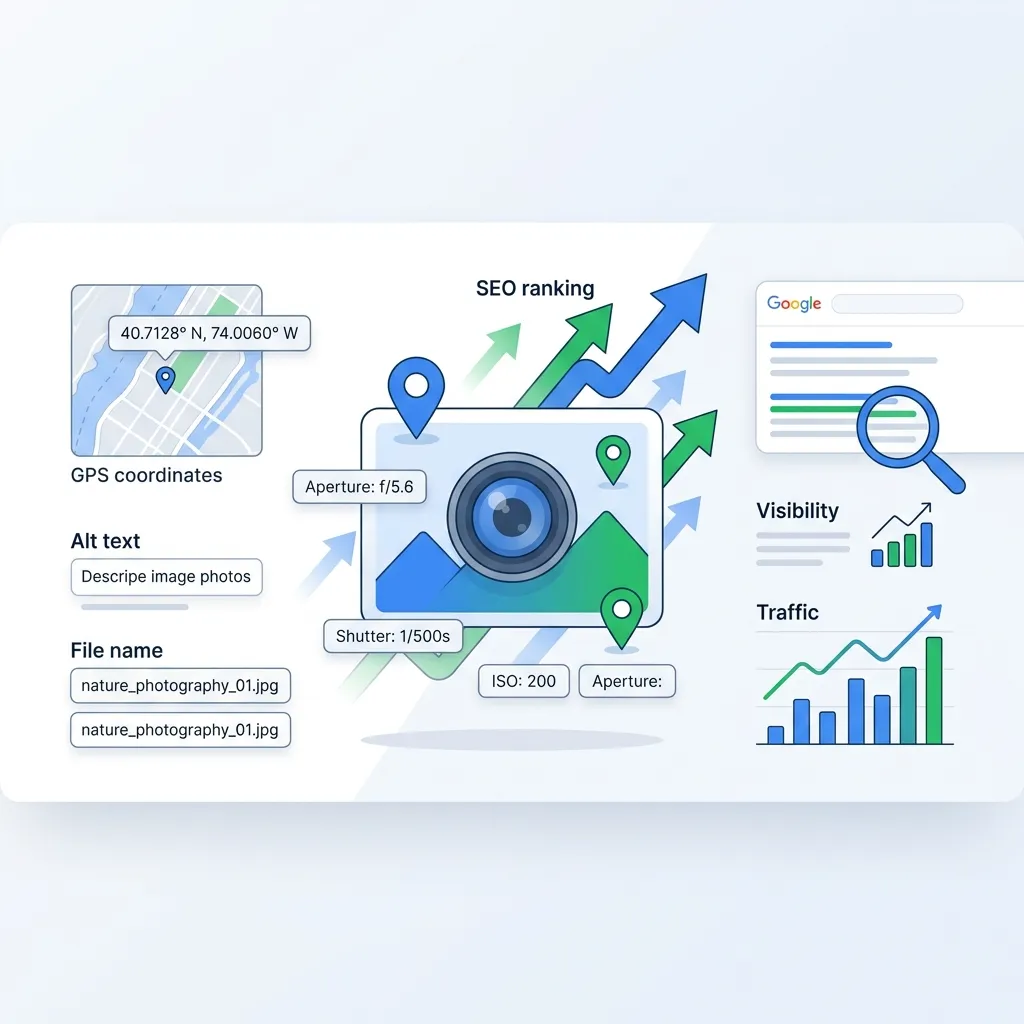
Does Geotagging Photos Actually Help SEO? What the Evidence Shows
If you search for geotagging and SEO advice, you will find two camps. One side claims GPS coordinates in your images are a secret ranking weapon. The other says geotagging is a complete waste of time. Neither is fully right.
The honest answer is more useful than either extreme: geotagging alone will not move your search rankings, but it can add real value when it is part of a broader image SEO workflow. The key is understanding where geotagging fits and where it does not.
This article explains what geotagging does, what evidence exists, when it actually helps, and how to use it without wasting effort.
What photo geotagging means in practice
Photo geotagging is the process of adding geographic coordinates to an image file's metadata. Usually this means writing latitude and longitude values into the EXIF GPS fields of a JPEG, PNG, WebP, or TIFF file.
Many smartphones do this automatically when location services are enabled. For images that do not have GPS data — studio shots, stock photos, screenshots, or older files — you can add coordinates manually using metadata editing tools.
The coordinates themselves are stored in the file, not on the webpage. That distinction matters because search engines primarily read what is on the page, not what is buried inside a file's binary data.
What Google actually says
Google has been relatively clear on this topic, even though many SEO guides ignore the official position.
Google's published image SEO documentation emphasizes these factors for image visibility:
- Crawlable image elements using standard HTML
- Descriptive, meaningful filenames
- Useful alt text
- Relevant surrounding page content
- Structured data where applicable
- Image quality and fast loading
GPS metadata embedded in image files is not listed among Google's documented ranking signals. Google Search Advocate John Mueller has stated publicly that there is no need to geotag images for SEO purposes.
That does not mean the data is invisible. It means Google does not use embedded GPS coordinates as a direct ranking factor in the way it uses alt text, page content, or structured data.
The metadata stripping problem
There is another practical issue that many geotagging guides fail to mention.
When you upload an image to most platforms, the platform often strips or ignores EXIF metadata. Google Business Profile, Facebook, Instagram, Twitter, and many CMS platforms remove or do not read embedded GPS coordinates from uploaded files.
This means that even if you carefully geotag every photo, the location data may not survive the upload process. The effort you put into embedding coordinates can be lost before anyone or any search engine sees it.
That is one reason why relying on geotagging as your primary SEO strategy is risky. The data is fragile and platform-dependent.
When geotagging genuinely helps
Despite those limitations, geotagging is not pointless. It is contextual. There are real situations where adding location data to images creates practical value.
Organizing image libraries by location
For businesses managing hundreds or thousands of photos across multiple locations, GPS coordinates make it much easier to sort, find, and assign images to the right city pages, project pages, or Google Business Profile listings. This is an operational benefit that indirectly supports SEO because it helps teams maintain consistent, location-relevant content.
Supporting local content workflows
A roofing company in Chicago with geotagged job-site photos can more easily match the right images to the right service-area pages. A restaurant chain can keep storefront photos organized by branch. A real estate agency can associate property photos with listing addresses.
None of that replaces writing good alt text, using descriptive filenames, or creating useful page content. But it makes those tasks easier and more consistent when location context is already attached to the file.
Building a complete metadata package
The strongest image SEO workflows combine multiple signals rather than relying on any single one. A well-prepared image might include:
- A descriptive filename:
flat-roof-repair-dallas-commercial.webp - Useful alt text: "Commercial flat roof repair project in Dallas, Texas"
- Relevant caption text on the page
- Nearby page content about the service and location
- Structured data where applicable
- Clean EXIF data including camera info and GPS coordinates
- IPTC fields for creator, copyright, and description
- Compressed file size for fast loading
In that context, geotagging is one piece of a larger package. It is not the ranking factor, but it supports the workflow that produces better content overall.
If you are comparing geotagging tools for that workflow, we wrote a detailed comparison of GeoImgr and GeoImageTagger covering metadata depth, AI features, pricing, and supporting tools.
Photography and creative portfolios
For photographers, geotagging has clear practical value. Travel photographers can plot shoots on a map. Wedding photographers can associate galleries with venues. Landscape photographers can document exact locations for future reference.
Tools like Lightroom use GPS data to organize images on map views. Apple Photos displays location information when GPS data exists. These are workflow benefits that make managing large photo libraries much simpler.
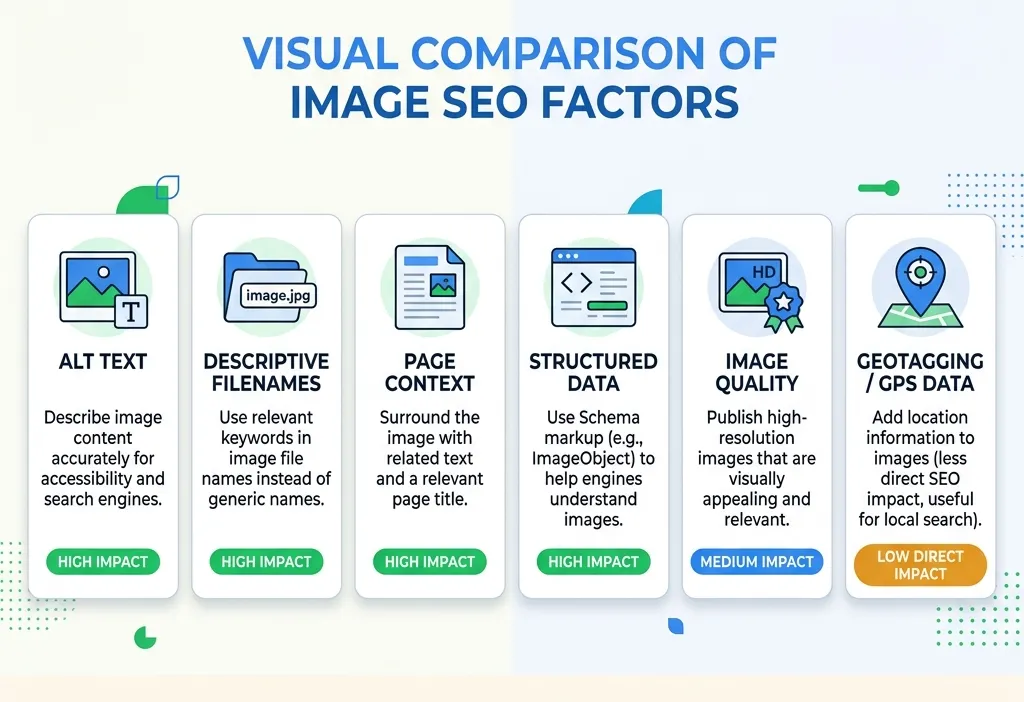 Comparison diagram showing geotagging alongside alt text, filenames, structured data, and page content as image SEO factors
The image SEO factors that actually move rankings
If geotagging is a supporting detail, what are the factors that actually influence image visibility in search? The evidence points to these fundamentals.
Descriptive filenames
Before uploading any image, rename it. A file called IMG_4827.jpg tells search engines nothing. A file called bakery-storefront-lincoln-park-chicago.webp gives Google a clear signal about the image content.
Useful alt text
Alt text is one of the most important pieces of image metadata for SEO. It tells search engines what the image shows and helps accessibility tools describe the image to users who cannot see it. Write natural, descriptive alt text. Do not stuff it with keywords.
Relevant page context
Google uses the surrounding text, headings, and page topic to understand what an image represents. An image on a page about roof repair in Dallas carries much more local relevance than the same image on a generic "Our Work" page with no location context.
Structured data
For businesses, local business schema markup tells Google your address, service area, and business type far more reliably than embedded GPS coordinates. Schema markup is a documented, supported ranking signal. Use it.
Image quality and performance
Sharp, high-quality images can improve result thumbnails and click-through rates. But large files slow down pages. Compressing images while preserving metadata is important. If you need to reduce file sizes without losing EXIF, GPS, IPTC, or XMP data, the Image Compressor handles that, and the Image Converter helps with format changes between JPG, PNG, WebP, and HEIC.
A practical approach that works
Instead of debating whether geotagging "works" or not, the most effective approach is to build a complete image workflow that covers all the signals search engines actually use while including location data where it adds organizational value.
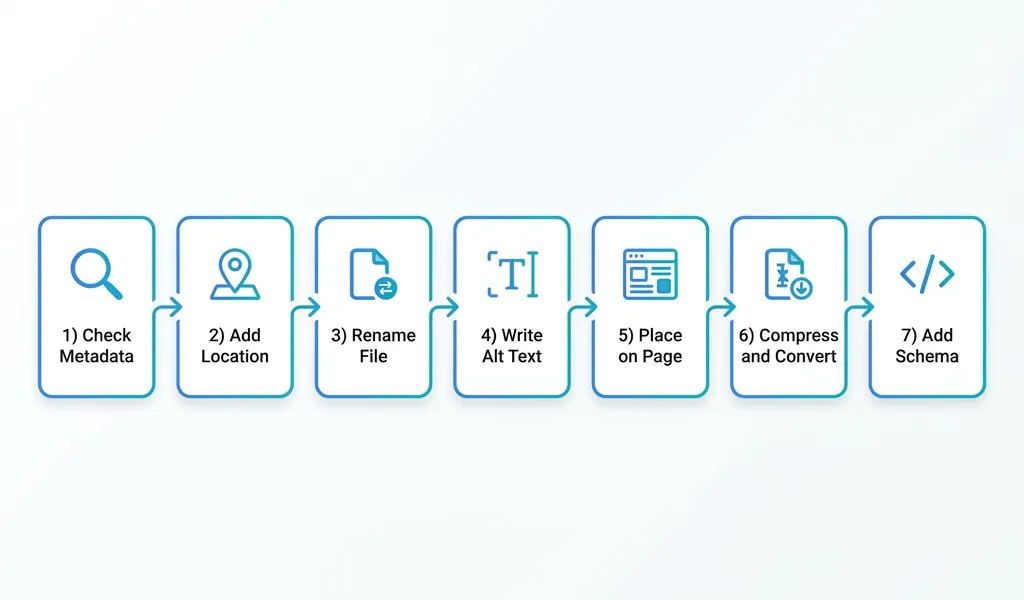
Here is what that looks like step by step:
-
Check existing metadata. Before editing anything, verify what data the file already has. The free Metadata Viewer lets you inspect EXIF, GPS, IPTC, and XMP fields instantly in the browser.
-
Add or correct location data if it matters. If the image is tied to a specific location — a project site, a storefront, an event venue — adding coordinates helps you organize the asset and write better descriptions later.
-
Rename the file. Use a descriptive, keyword-relevant filename before uploading. This is one of the simplest and most effective image SEO steps.
-
Write useful alt text. Describe what the image shows in plain language. Include location or context where natural.
-
Place the image on a relevant page. An image works harder for SEO when the surrounding content supports what the image shows.
-
Compress and convert for performance. Make sure the file is web-ready without losing important metadata through the export process.
-
Add structured data where applicable. For local businesses, schema markup is a much stronger location signal than embedded GPS coordinates.
If you want a workflow that handles geotagging, AI-assisted descriptions, metadata writing, and export in one place, GeoImageTagger is built around that exact process. You can see the full workflow on the How It Works page and explore capabilities on the Features page.
 Step-by-step workflow diagram showing image metadata inspection, geotagging, renaming, alt text, compression, and publishing
Frequently asked questions
Does geotagging directly improve Google rankings?
No, not according to Google's documented signals. Google does not list embedded GPS metadata as a ranking factor. The SEO value of geotagging is indirect — it supports better workflows, organization, and content creation rather than acting as a standalone ranking signal.
Does Google read EXIF data from images?
Google can read some EXIF data, but the extent to which it uses that data for ranking is limited. Google has confirmed it can extract some information from image metadata, but page-level signals like alt text, filenames, surrounding content, and structured data carry much more weight.
Should local businesses geotag their photos?
Yes, but not as an SEO shortcut. Geotagging helps local businesses organize photos by location, which makes it easier to assign the right images to the right city or service-area pages. The SEO benefit comes from the better content that results from that organization, not from the coordinates themselves.
Does geotagging help with Google Business Profile?
Google Business Profile may strip EXIF data when images are uploaded. The more reliable approach is to upload high-quality, authentic photos regularly and ensure your profile information is accurate and complete. Geotagging can help you keep your photo library organized before upload, but it is unlikely to directly influence your local pack ranking.
What is more important: geotagging or alt text?
Alt text is significantly more important for SEO. It is a documented ranking factor that Google explicitly recommends. Geotagging is a supporting workflow detail. If you can only do one, write good alt text every time.
Is there any harm in geotagging images?
Generally no, as long as you consider privacy. Public images tied to private residences, schools, or sensitive client locations should have GPS coordinates removed before publishing. For business locations, storefronts, and public venues, geotagging is low-risk.
Conclusion
Geotagging photos does not directly improve SEO in any way Google publicly documents. If someone tells you that adding GPS coordinates to your images will boost your rankings, they are oversimplifying how search actually works.
What geotagging does well is support better workflows. It helps organize images by location, makes it easier to write accurate descriptions and captions, and adds one more layer of context to files that travel through complex publishing pipelines.
The ranking factors that actually move the needle are the ones Google documents clearly: descriptive filenames, useful alt text, relevant page content, structured data, image quality, and fast loading. Geotagging fits into that workflow as a useful detail, not as the main event.
Build the full workflow. Use every signal available. Treat geotagging as one honest piece of a larger, smarter image strategy.
← Back to Blog